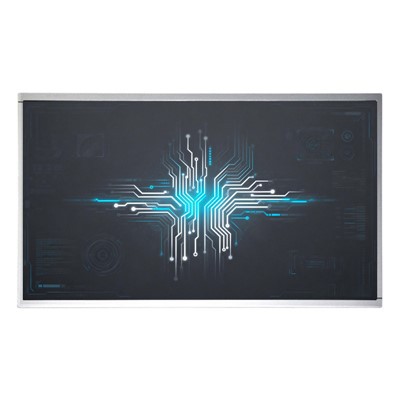
A display is also commonly referred to as a monitor. A monitor is an I/O device that belongs to a computer, that is, an input and output device. It is a display tool that displays a certain electronic file on the screen through a specific transmission device and then reflects it to the human eye.
Information introduction
Computer monitors are also commonly referred to as computer monitors or computer screens. It is the most important computer part besides CPU, motherboard, memory, power supply, keyboard and mouse. The concept of a computer monitor has not been unified, but the understanding of it is mostly the same. As the name suggests, it should be a display tool that displays certain electronic files on the screen through a specific transmission device and then reflects it to the human eye.
2025 Most Popular Computer Screen Types Comparison Table
|
Screen Type |
Best For |
Average Price (2025) |
Response Time |
Contrast Ratio |
Lifespan |
| IPS |
Color-critical work |
$150–$600 |
4-8ms |
1000:1–2000:1 |
50,000+ hours |
| VA |
Movies & contrast lovers |
$120–$500 |
1-5ms |
3000:1–5000:1 |
40,000+ hours |
| TN |
Competitive gaming |
$100–$350 |
less than 1ms |
600:1–1000:1 |
30,000 hours |
| OLED |
Best black levels |
$800–$3000+ |
0.1ms |
Infinite |
30,000–100,000 |
| MINI-LED |
Bright HDR |
$500–$2000 |
1-8ms |
1,000,000:1 (local) |
100,000+ hours |
|
QD-OLED (2025 new) |
Gaming + color accuracy |
$1000–$3500 |
0.03ms |
Infinite |
Improving |

7 Most Frequently Asked Questions Before Buying a Computer Screen
-
How to choose between 144Hz, 240Hz, and 360Hz–540Hz (2025 new)?
→ Casual user/office: 60-120Hz is enough
→ Competitive FPS gaming: 360Hz+ (e.g., 540Hz OLED in 2025)
→ Content creation + gaming: 240Hz OLED/Mini-LED is the sweet spot
-
Is 4K worth it in 2025?
Yes if your screen is ≥27 inches and you do photo/video editing or want future-proofing.
For 24-27 inch, 1440p is still the best balance.
-
Curved vs flat screen – which is better?
Curved (1000R–1800R) gives more immersion in ultrawide gaming monitors; flat is better for productivity and color accuracy work.
-
Should I worry about OLED burn-in in 2025?
Modern WOLED & QD-OLED panels have 5-10 year warranties and advanced pixel-shift + screen saver tech. Burn-in risk is now very low for normal use.
FAQ
Q: What exactly is a computer screen?
A: It's the part that shows you everything - most people just call it a "monitor" or "display". On laptops we usually say "screen", on desktops it's "monitor". Same thing, different habits.
Q: Is there actually any difference between a "screen" and a "monitor"?
A: Not really. When someone says "screen" they're usually talking about the panel itself. When they say "monitor" they mean the whole unit with the stand, ports, and buttons. In real life nobody cares about the difference.
Q: Which is better - LCD or LED screen?
A: Trick question. Pretty much all LCD monitors sold today use LED backlighting. When stores say "LED monitor" it's just marketing talk. Real direct-view LED or Micro-LED screens for normal people are still a few years away .
Q: IPS vs VA for gaming in 2025 - which one should I get?
A: Depends on what you play:
- Fast esports (CS2, Valorant, Overwatch) → go IPS or OLED - way less motion blur
- Story-driven or dark games (Cyberpunk, Resident Evil, anything with a lot of black) → VA or OLED for those deep blacks and punchy contrast.
A lot of us just end up buying QD-OLED and calling it a day.
Q: What does refresh rate actually mean?
A: How many times the picture updates every second. 60 Hz = 60 updates, 240 Hz = 240 updates. The higher the number, the smoother fast movement looks - especially noticeable when you're swinging the mouse around in shooters.
Q: Are 8K monitors worth it in 2025?
A: Unless you edit 8K video for a living or you just like burning money, no. There's almost no 8K content, and even an RTX 4090 struggles at 8K gaming. 4K or high-refresh 1440p is still the sweet spot for 99% of people.
Q: How long does a monitor actually last these days?
A: Normal LED-backlit IPS/VA monitors: easily 50,000–100,000 hours (10+ years of daily use).
OLED monitors: 30,000–100,000 hours now, and the newer 2024–2025 panels are getting a lot better at resisting burn-in.
Our Service Processes
Our free service hotline:+86 13602556591
Have any questions about choosing the perfect computer screen? Drop a comment below – we reply within 24 hours!
Pre-sales Consultancy
1
>>
Confirmation of order
2
>>
Production
3
>>
Multi-Channel Shipping
4
>>
Confirmation of recei
5
>>
After-sale Services
6