

Hey everyone, if you work with industrial LCD displays, TFT LCD modules, rugged automotive LCD screens, or any kind of industrial-grade LCD, you know how frustrating downtime can be. These tough panels power factory HMIs, control systems, outdoor kiosks, vehicle dashboards, and more. But even the best industrial LCD can hit snags from harsh conditions, heavy use, or wear and tear.
In this practical guide, I'll break down the 8 most common faults in industrial LCD displays - flickering screens, total blackouts, touch issues, bad pixels, temperature problems, sunlight washout, lines/stripes, and dim/blurry output. For each one, you'll get real-world examples, clear troubleshooting steps, quick fixes, and solid prevention advice. These are pulled from common reports across tech forums, manufacturer docs, and field experiences.
I've included relevant photos throughout so you can see exactly what these issues look like in real life. Let's get into it!
Screen Flickering / Flashing (Flower Screen / Huaping)
This tops the list for industrial LCD monitors and TFT LCD panels - the screen flickers, flashes, or shows random stripes/mosaics, messing up real-time data reading.
Real Cases:
- Vehicle-mounted industrial touchscreen LCD in an auto welding shop flickered 3-4 times a month from vibration loosening cables.
- Steel mill HMI panel flickered constantly due to unstable summer power grid fluctuations.
Troubleshooting Steps:
1.Check all cables (VGA/HDMI/LVDS) for looseness, damage, or oxidation.
2.Adjust refresh rate to 60-75Hz in display settings.
3.Test with a stable industrial-grade power adapter.
4.Update graphics drivers or firmware if software-related.
Quick Fixes: Reseat cables, raise refresh rate, or replace faulty inverter/backlight driver. In bad cases, swap the logic board.
Prevention Tips: Use vibration-resistant mounts, shielded cables, and surge-protected power supplies. Regular inspections in high-vibe setups prevent most issues.
Here are some typical flickering examples on industrial LCD screens:

Black Screen with No Backlight
The unit powers on (fans spin, maybe OSD shows), but the display is pitch black - classic backlight failure in industrial LCD modules.
Real Cases:
- Factory 19-inch rugged LCD monitor went black multiple times a day from power surges damaging LED backlights.
- Outdoor signage panels often fail in direct sun due to overheated backlight strips.
Troubleshooting Steps:
1.Shine a flashlight at an angle - if faint images appear, it's backlight (LED strips or inverter).
2.Verify power to the backlight circuit.
3.Check driver board for burnt spots.
Quick Fixes: Replace LED backlight strips, inverter, or full assembly. Switching to high-efficiency LEDs helps long-term.
Prevention Tips: Ensure proper ventilation, use wide-temp panels (-40°C to +85°C), and stick with quality power supplies.
Real black/no-backlight scenarios look like this:

Touchscreen Failure / Unresponsive Touch
Touch doesn't respond, registers wrong spots, or only works partially - very common in capacitive touch industrial LCDs.
Real Cases:
- Factory floor HMI touch displays lost accuracy from dust buildup and glove usage over time.
- Medical equipment panel went off calibration after a firmware update.
Troubleshooting Steps:
1.Clean surface thoroughly with microfiber and approved cleaner.
2.Recalibrate using built-in tools or software.
3.Test on another PC to isolate driver problems.
Quick Fixes: Recalibrate, update touch drivers, or replace the touch overlay if physically damaged.
Prevention Tips: Opt for glove-compatible projected capacitive tech, add protective films, and calibrate monthly.
Touch failure examples in action:

Bright / Dead Pixels
Small black, white, or stuck-color dots that never change - frustrating but frequent in TFT LCD panels.
Real Cases:
- New industrial LCD batch arrived with clustered dead pixels from factory defects.
- High-vibration environment caused stuck pixels after years of use.
Troubleshooting Steps:
1.Run pixel-refresh/test pattern software.
2.Gently massage stuck pixel areas with soft cloth (risky, do carefully).
3.Check warranty - most allow a small number of dead pixels.
Quick Fixes: Software for stuck pixels; full panel replacement for true dead ones.
Prevention Tips: Source from vendors with strict pixel warranties and avoid pressure during installation.
Dead pixel close-ups:

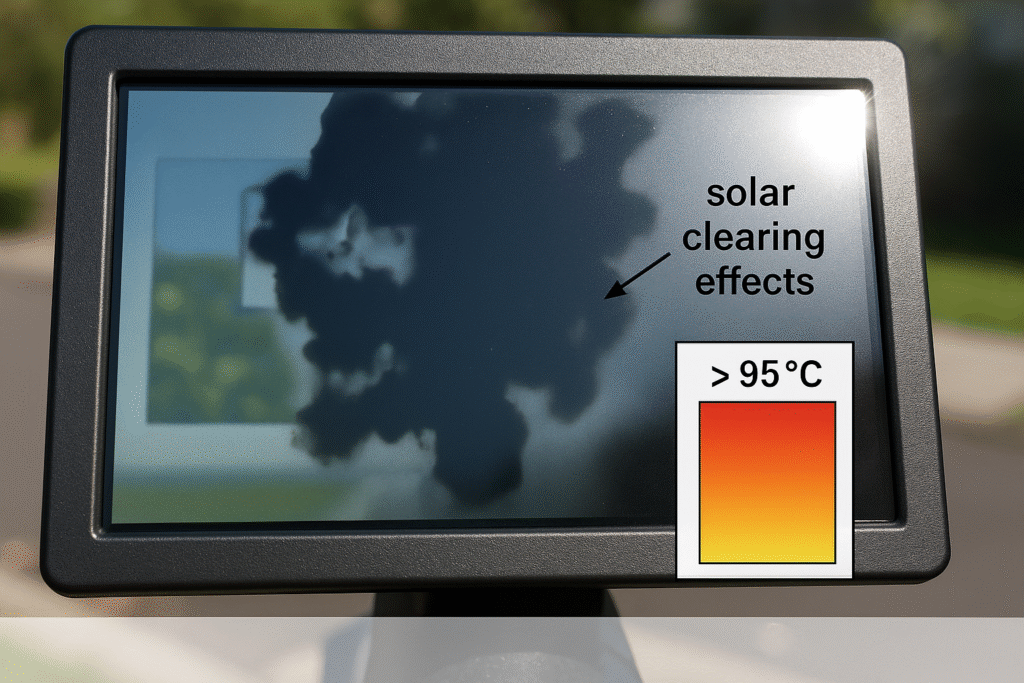
Temperature-Induced Color Drift / Blackening
Colors shift, fade, or screen blacks out in extreme heat or cold - a nightmare for wide-temperature industrial LCDs.
Real Cases:
- Outdoor sunlight-readable LCD blacked out with blotches at 60°C+ in summer.
- Cold storage vehicle LCD showed blue/purple tint at -30°C.
Troubleshooting Steps:
1.Verify panel temp specs (high-TNI needed above 50°C).
2.Monitor internal temps with sensors.
Quick Fixes: Add cooling fans/heatsinks or upgrade to high-TNI liquid crystal panels.
Prevention Tips: Always specify wide-temp (-40°C to +85°C) industrial TFT LCD with auto-brightness.
Color drift from heat/cold:
Poor Visibility in Direct Sunlight
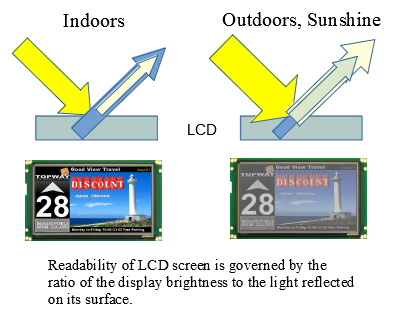
Screen washes out completely, glare takes over - critical fail for outdoor industrial displays and automotive LCDs.
Real Cases:
- Construction site rugged tablet LCD became unreadable at midday.
- Drive-thru signage dimmed and washed out under bright sun.
Troubleshooting Steps:
1.Check current brightness (aim for 1000+ nits minimum).
2.Look for anti-glare coatings or optical bonding.
Quick Fixes: Max out brightness, add physical shade, or upgrade to high-brightness sunlight-readable LCD.
Prevention Tips: Select 1000-2500 nits panels with optical bonding and auto-dimming sensors.
Sunlight readability fails:
Lines / Stripes (Vertical/Horizontal Bars)
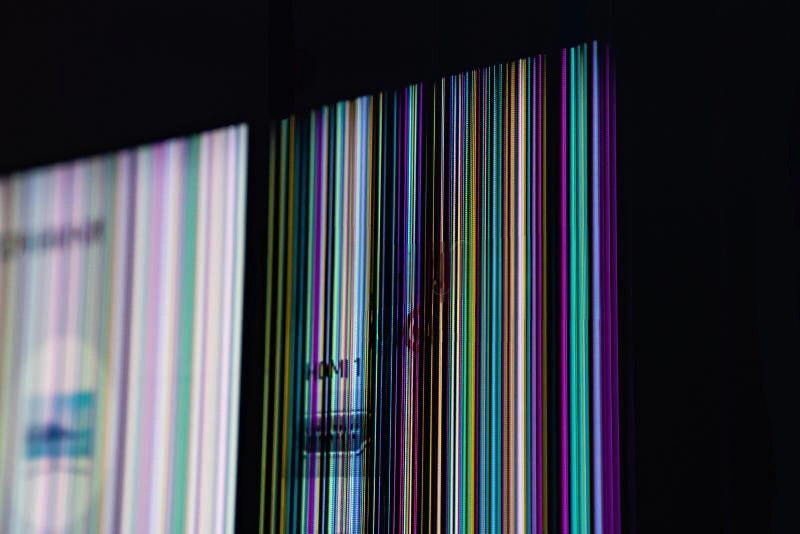
Bright or dark lines running across the screen - usually from internal connection or panel faults.
Real Cases:
- Factory vibration loosened LVDS cable, causing vertical stripes.
- Aging T-CON board produced horizontal bands over time.
Troubleshooting Steps:
1.Reseat all signal cables carefully.
2.Gently press panel edges to test for contact issues.
Quick Fixes: Replace cable or T-CON board.
Prevention Tips: Use reinforced connectors and strain relief in industrial environments.
Line defects:
Dim / Blurry Images
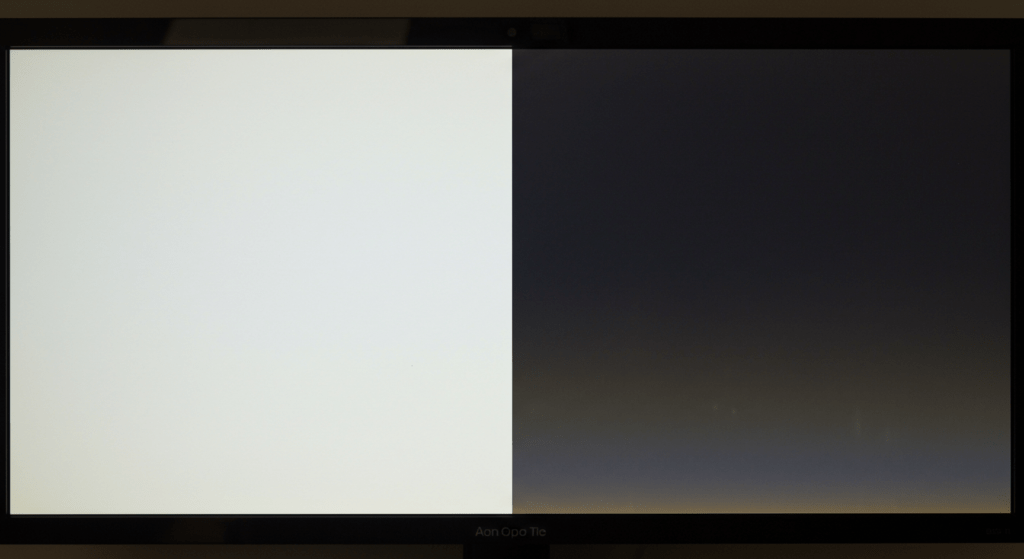
Overall low contrast, blurry motion, or faded appearance.
Real Cases:
- Long-term industrial HMI backlight dimmed significantly after years.
- Older panels showed blur on fast-moving factory data.
Troubleshooting Steps:
1.Push backlight to maximum brightness.
2.Check response time specs for the panel.
Quick Fixes: Replace aging backlight or upgrade to newer LED tech.
Prevention Tips: Schedule backlight inspections every 6-12 months.
Dim screen examples:
Wrapping It Up: Keep Your Industrial LCD Running Smooth
Industrial LCD displays, TFT LCD modules, and automotive-grade screens are built for tough jobs, but these 8 faults show up time and again in the real world. Fast diagnosis plus smart prevention (wide-temp, high-brightness, quality components) can slash downtime and save money.
If you're sourcing reliable custom industrial LCD solutions, go for vendors that offer RoHS-compliant, high-nits, wide-temp panels. Dealing with one of these issues right now? Drop a comment - I'd love to help brainstorm fixes!
Stay sharp, and keep those screens crystal clear.


