

Hey everyone, if you've ever swiped on your smartphone, tapped a kiosk screen, or interacted with a sleek industrial display, chances are you've used a capacitive touch panel without even thinking about it. These things are everywhere now, and honestly, they're one of the biggest reasons our devices feel so intuitive and responsive. But how exactly do they work? And why are they so much better than the old-school options?

As someone who's been knee-deep in display tech for years, I wanted to break this down in a straightforward way-no heavy jargon overload, just the real stuff that matters. We'll cover the basics of how capacitive touch panels function, compare them to alternatives, look at real-world applications, and touch on why customization is key if you're building something special. Oh, and since we're talking displays here at Minghua Display, I'll share a bit about how we help turn these ideas into reality with our custom LCD solutions.
What Exactly Is a Capacitive Touch Panel?
At its core, a capacitive touch panel is a sensor layer that detects touch by sensing changes in electrical fields-thanks to the fact that your finger is basically a tiny conductor. Unlike pressure-based screens, it doesn't need you to push hard; a light tap or even a hover (in some advanced setups) is enough.
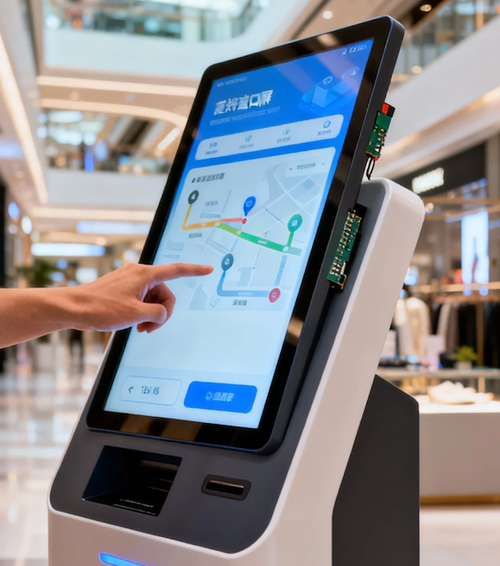
The panel is usually built on glass or a flexible substrate coated with a transparent conductive material, most commonly indium tin oxide (ITO). This creates a grid of electrodes-think X and Y lines forming a matrix of tiny capacitors. When your finger gets close, it disturbs the electrostatic field, causing a measurable change in capacitance at that spot. The controller chip scans the grid super fast, pinpoints the exact location, and tells the system, "Hey, touch detected here!"
There are two main flavors: self-capacitance (measures change relative to ground) and mutual capacitance (looks at coupling between electrodes). Mutual is more common these days because it handles multi-touch gestures way better-like pinching to zoom or swiping with multiple fingers.
How Does It Actually Work Step by Step?
Let's keep it simple:
- The screen maintains a steady electrostatic field across its surface.
- Your finger (or a conductive stylus) approaches or touches it.
- The human body conducts electricity, so it "steals" a bit of charge, altering the local capacitance.
- Sensors detect this shift-often down to tiny fractions of a picofarad.
- The controller processes the data and maps it to screen coordinates.
- Boom-your swipe, tap, or gesture registers instantly.
This whole process happens in milliseconds, which is why capacitive touch panels feel so smooth compared to older tech.
Projected Capacitive (PCAP) vs. Surface Capacitive
Most modern capacitive touch panels are projected capacitive (PCAP) types. In PCAP, the electrodes are embedded inside the layers (often on glass or PET film), and the field "projects" through a protective cover. This makes them durable, scratch-resistant, and able to work with thick glass overlays-perfect for public kiosks or industrial gear.
Surface capacitive is simpler (electrodes on the top layer), but it's less common now because it's prone to false triggers from moisture or dirt and usually supports only single-touch.
Why Capacitive Touch Panels Beat Resistive Ones Hands Down
People often ask: capacitive or resistive-which is better? Here's the quick rundown.

Resistive screens have two flexible layers that touch when you press, completing a circuit. They're cheap, work with gloves or styluses, and ignore dirt pretty well. But they require actual pressure, wear out over time (those layers rub), support only single-touch usually, and the image quality suffers because of the extra layers reducing clarity.
Capacitive touch panels, on the other hand:
- Super responsive-no pressure needed.
- Support multi-touch and gestures natively.
- Better optical clarity (higher light transmission).
- More durable surface (glass top layer resists scratches).
- Premium feel-like your phone or tablet.
The trade-off? Capacitive can be tricked by water or heavy gloves (though glove-compatible versions exist now), and they're pricier upfront. But for most consumer, medical, automotive, or POS applications, capacitive wins every time.
Real-World Applications and Why It Matters
You see capacitive touch panels everywhere because they deliver that premium user experience. Smartphones and tablets? Obviously. But also:

- Industrial HMIs and control panels (where reliability and quick response count).
- Medical devices (easy to clean, accurate input).
- Automotive dashboards (multi-touch for maps, climate controls).
- Retail kiosks and interactive signage.
- Smart home devices and appliances.
The tech keeps evolving too-higher refresh rates, better noise rejection, hover detection, and even integration with curved or flexible displays.
The Push for Customization in Today's Market
Off-the-shelf capacitive touch panels are great for standard projects, but when you need something tailored-specific sizes, curved shapes, high-brightness integration, anti-glare coatings, or glove/water resistance-custom is the way to go.
That's where specialists come in. For example, companies focus on integrating capacitive touch directly with LCD panels for seamless modules. At Minghua Display, we specialize in customized LCD solutions, including full lamination with capacitive touch panels. Whether you're designing for outdoor sunlight-readable screens, rugged industrial setups, or sleek consumer products, we handle everything from panel selection to touch controller tuning and optical bonding.

Our strength? We offer end-to-end customization-adjusting touch sensitivity, cover glass thickness, interface (I2C, USB, etc.), and even combining with TFT LCDs in sizes from small handheld to large format. This means faster time-to-market, better performance matching your exact needs, and cost efficiency without compromising quality.
If you're working on a project right now, think about what your end-users really need: durability in harsh environments? Multi-touch precision? High clarity under bright lights? A custom capacitive touch panel paired with our custom LCD expertise can make all the difference.
Wrapping It Up: Why Capacitive Touch Is Here to Stay
Capacitive touch panels have revolutionized how we interact with screens. From the physics of capacitance to the practical perks like multi-touch and crystal-clear visuals, it's clear why this tech dominates everything from phones to professional equipment.
If you're exploring options for your next display project, don't settle for generic solutions. Reach out to folks like us at Minghua Display-we're all about turning your vision into reliable, high-performance custom LCD modules with top-tier capacitive touch integration.
Got questions about specs, integration tips, or just want to chat about your project? Drop a comment or hit us up. I'd love to hear what you're building!


