

Hey, have you ever turned off your taskbar or closed a window and still seen a faint outline of the icons or logos hanging around on your screen? That annoying ghost image is exactly what people call lcd screen retention (also known as lcd image retention or image persistence). I've had it happen on both regular monitors and industrial control panels, and it always freaks people out at first. The good news? On LCD screens it's almost always temporary, unlike the permanent burn-in you get on OLEDs. In this guide I'm going to walk you through exactly what lcd screen retention is, why it happens, how to prevent it, and the fastest ways to make it disappear.
Whether you're dealing with a desktop monitor, a laptop, an embedded display, or a 24/7 industrial HMI, these tips come straight from real-world experience and what actually works for most folks.

What Exactly Is LCD Screen Retention?
Let's keep it simple. LCD screen retention (or lcd image retention) is when a static image you've had on the screen for a long time leaves a faint "ghost" behind even after you change the picture. It's not permanent damage like true burn-in - the liquid crystals just get a little "stuck" in one position and take time to relax back to normal.
The big difference from OLED burn-in is that lcd screen retention usually fades away on its own after a few hours or days, while OLED burn-in is actual material wear that stays forever. You'll see lcd screen retention most often on monitors that show the same taskbar, logo, or dashboard all day long. Industrial panels and small embedded lcd modules are especially prone to it because they often run the same UI 24/7.
If you're noticing a light shadow of your old desktop icons or a company logo that won't go away, that's classic lcd screen retention.
Why Does LCD Screen Retention Happen? The Real Causes
The root cause of lcd screen retention is pretty straightforward: when the same pixels stay at the same voltage for too long, the liquid crystal molecules inside the panel start to get "lazy" and don't snap back quickly when the image changes. High brightness, high contrast, and leaving the exact same static picture on for hours or days makes it way worse.
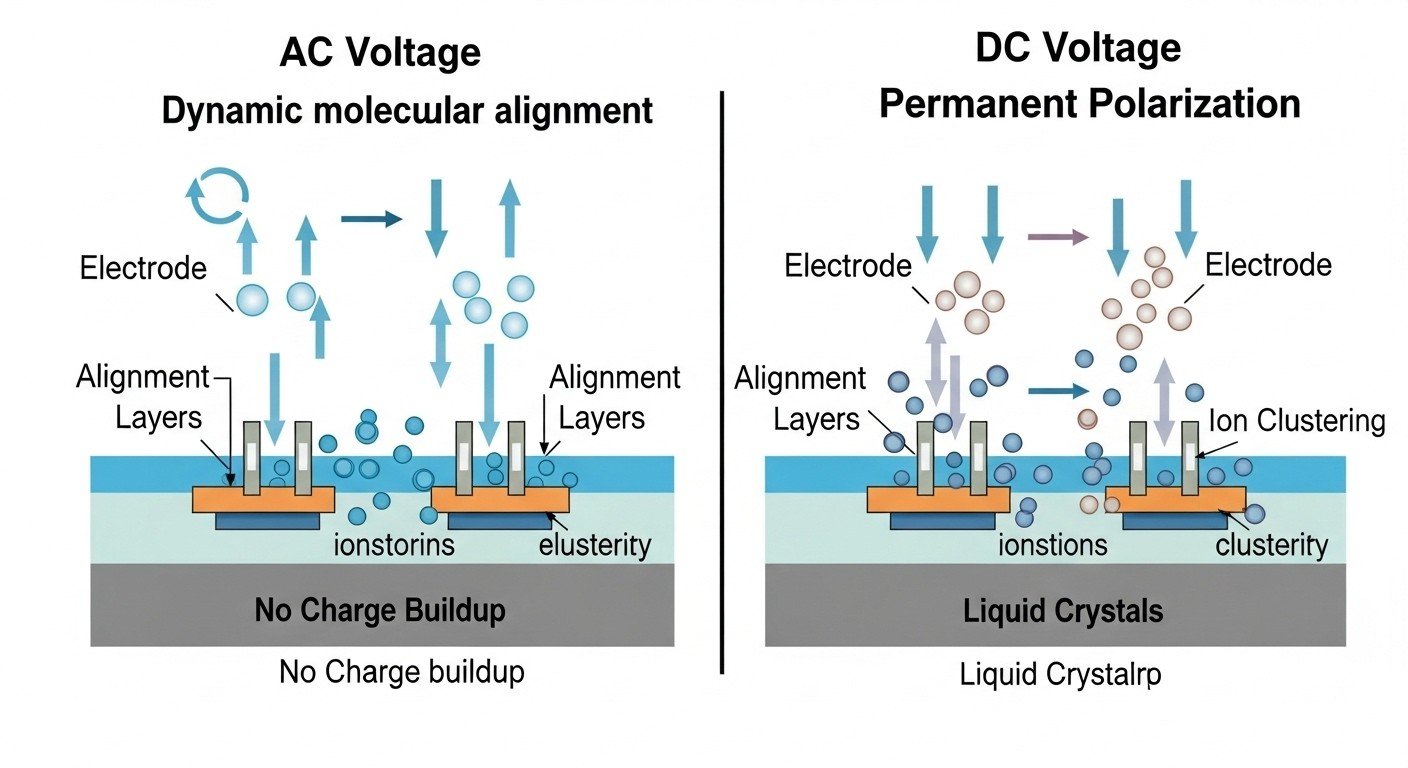
Other big triggers for lcd screen retention include:
- Running the same taskbar, toolbar, or logo non-stop
- Keeping brightness cranked up all the time
- No pixel-shifting or screen-saver protection
- High operating temperatures (common in industrial setups)
Embedded lcd modules and industrial HMI panels see lcd screen retention more often because their interfaces are designed to stay mostly static. That's why a lot of engineers I talk to end up dealing with faint ghosting after a few months of 24/7 use.
How to Prevent LCD Screen Retention Before It Starts
The best way to deal with lcd screen retention is to stop it from happening in the first place. Here are the tricks that actually work in real life:
- Turn on a screensaver or set your display to sleep after 10-15 minutes of inactivity
- Lower the brightness to 50-70% - it reduces stress on the liquid crystals
- Enable pixel shift or screen move features if your monitor has them (most modern ones do)
- Use software that automatically rotates or changes your desktop wallpaper and icons
- For industrial or embedded projects, design your UI to avoid fixed elements - add a simple timer that flips the screen or runs a quick refresh cycle
I've seen lcd screen retention almost disappear completely on panels just by dropping the brightness and adding a basic pixel shift routine. For 24/7 digital signage or control panels, these small changes can save you a ton of headaches down the road.
How to Fix LCD Screen Retention Once It Appears
Okay, so you already have lcd screen retention showing up. Don't panic - here's what actually gets rid of it fast:
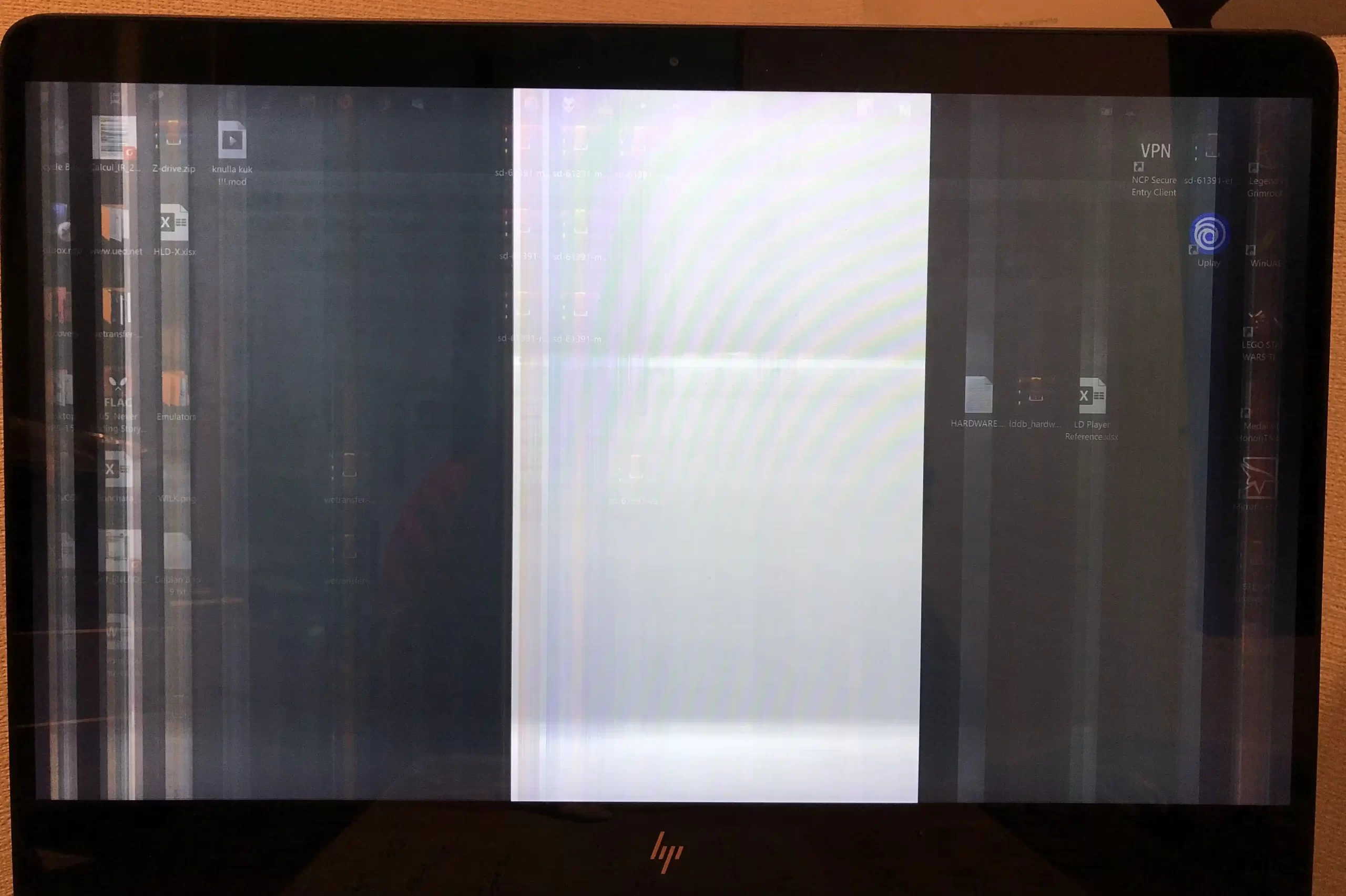
- Turn the screen completely off for at least 24-48 hours (the longer the better - the crystals need time to relax)
- Run a full-screen flashing video or RGB cycle pattern (search YouTube for "lcd image retention fix" - there are tons of 1-hour videos that cycle colors and noise)
- Some monitors (like certain Dell and Alienware models) have a built-in "LCD conditioning" or "pixel refresher" mode - run that for a couple of hours
- Lower brightness to minimum and leave a moving screensaver on for a day or two
Most cases of lcd screen retention clear up within a few hours to a couple of days with these methods. If it's really stubborn, repeat the flashing video a few times. I've fixed several industrial panels this way without replacing anything.
Special Tips for Embedded and Industrial LCD Modules
Small lcd modules and industrial control panels are extra susceptible to lcd screen retention because they're often running the same dashboard or status screen around the clock. The limited space and constant static UI make the liquid crystals work harder.

When designing or choosing an lcd module for these applications:
- Look for panels that support built-in pixel shift or automatic refresh
- Keep brightness lower than you think you need
- Build a simple software routine that flips the screen or shows a quick inverse image every few hours
- Consider industrial-grade modules rated for continuous use - they're usually better at handling lcd screen retention
A lot of my engineering friends have learned the hard way that a cheap consumer lcd module won't last in 24/7 service, but a properly specced industrial one with anti-retention features can run for years without ghosting.
Common Questions About LCD Screen Retention (FAQ)
People ask me the same things over and over about lcd screen retention, so here are the quick answers:
- Will lcd screen retention permanently damage my screen?
Almost never - it's temporary on LCDs.
- How long does it take to disappear?
Usually a few hours to a couple of days; stubborn cases might need a week.
- Is lcd screen retention the same as burn-in?
No - burn-in is permanent (OLED territory); lcd screen retention fades.
- Can I prevent it completely?
Yes, with the habits above you can get very close to zero issues.
- Does it happen more on certain panel types?
IPS panels see it more than VA, but any LCD can get it with bad habits.
If your lcd screen retention is really bad or won't go away after trying the fixes, it might be worth checking the panel quality or reaching out to the manufacturer.
Wrapping Up: Keep Your Screens Clear and Ghost-Free
LCD screen retention is one of those annoying problems that feels scary at first but is actually pretty easy to handle once you know the tricks. Most of the time it's temporary, fixable, and totally preventable with a few smart habits and the right settings.
If you're building something that runs 24/7 - whether it's an industrial HMI, a kiosk, a medical device, or any embedded project - taking lcd screen retention seriously from day one will save you time, money, and replacement headaches later.
Why Minghua Is the Smart Choice for Custom LCD Solutions
If you've tried everything and standard off-the-shelf screens still give you lcd screen retention issues, or you need a panel built specifically to resist ghosting in tough environments, that's exactly where Minghua comes in. We specialize in custom LCD business and have helped hundreds of engineers and manufacturers create displays that stay crystal clear even after years of continuous use.


From adding built-in pixel shift and refresh circuits to choosing industrial-grade liquid crystals and optimizing brightness profiles, we can tailor every lcd module to fight lcd screen retention from the start. No big minimum orders, fast samples, and real engineering support that actually understands your 24/7 application.
If lcd screen retention is causing you problems on your current project, drop us a message with your requirements. We'll design the perfect custom LCD solution that keeps your screens looking sharp for the long haul. Your display deserves to stay ghost-free - let's make it happen together.


