

What Are Pressure Spots on LCD Screens?
You turn on the screen and there it is - a discolored, cloudy, or rainbow-looking patch that wasn't there before. These pressure spots on LCD screens (also called LCD pressure marks) happen when something physically squeezes or deforms the delicate layers inside the display.
An LCD panel is basically a precise sandwich of glass, liquid crystals, polarizing filters, color filters, and the backlight. On TFT LCD displays, each pixel is controlled by its own thin-film transistor. When pressure hits the screen, it can knock the liquid crystals out of alignment or slightly separate the layers, creating visible marks.
These TFT LCD screen pressure spots usually look like soft-edged blotches rather than sharp dots. They might appear as:
- Bright white or yellowish patches
- Darker grayish splotches (especially noticeable on light backgrounds)
- Rainbow or oil-slick effects that shift with viewing angle
- Areas that look strangely "washed out"
Sometimes the damage doesn't show up right away. A screen that got pressed during shipping might look fine at first, but the mark becomes visible hours or days later as the liquid crystals settle.
What Causes LCD Screen Damage from Pressure?

The most common causes of LCD screen damage from pressure include:
- Someone pressing too hard on the screen (cleaning, touching, or accidental bumps)
- Poor packaging during shipping - panels rubbing against each other or sharp edges
- Stacking heavy items on a closed laptop or unprotected panels
- Tight bezels or over-tightened mounting screws in industrial setups
- Extreme temperatures or humidity making the panel more vulnerable
It's important to know that pressure spots are different from dead pixels. Dead pixels are usually single pinpoint failures that stay the same color no matter what's on screen.
Pressure marks tend to be larger, softer, and change appearance slightly depending on the background color.
How to Tell If It's Really a Pressure Spot
Before trying anything, run a simple test: display full-screen white, black, red, green, and blue one by one.
- A real pressure spot shows up on multiple colors with soft, blurry edges and slightly changes look with each color.
- Dead pixels stay fixed and sharp.
- Backlight bleed is usually at the edges and most obvious on black screens.
- Mura (factory uniformity issues) looks like a faint milky haze.
If the spot has sharp internal patterns, dark blobs that don't move, or any sign of cracked glass, it's probably permanent damage.
Simple Fixes You Can Try for Pressure Spots on LCD Screens
Let's be honest - most noticeable LCD pressure marks can't be fully fixed. Once the internal structure is deformed, it usually stays that way. But if the mark is very minor and fresh, a few careful steps sometimes help:
- Remove the pressure source immediately
If something is still pressing on the screen (bag, tight frame, stacked items), take it off right away. Continuing pressure only makes it worse.
- Power it off and let it rest
Turn the device completely off and leave it alone for 48–72 hours. In very mild cases, the liquid crystals can slowly settle back a bit. This doesn't work miracles, but it's free and harmless.
- Check the mounting and bezel
Especially on industrial displays, make sure screws aren't over-torqued and the frame isn't squeezing the panel. Loosening things slightly (carefully) can sometimes improve edge pressure marks.
- Gentle massage (with extreme caution)
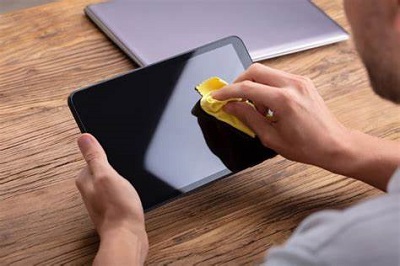
With the screen off, cover the area with a clean microfiber cloth and use the pad of your finger to rub very lightly in slow circles around the edges for 30–60 seconds. The goal is to encourage the crystals to redistribute a little. If it doesn't help after one or two tries, stop. Never press hard.
- Mild heat (high risk, last resort)
Some people use a hairdryer on the lowest setting, held far away, for just a few seconds. The idea is to slightly warm the liquid crystals to make them more fluid. This can easily cause more damage if you're not extremely careful - only try it on non-critical screens.
Things you should never do:
- Don't use any liquids or alcohol on the spot.
- Don't press hard hoping to "push it back."
- Avoid suction cups, tools, or anything sharp.
When Pressure Spots Cannot Be Fixed
In the majority of cases - especially if the mark has been there for days, is larger than about a centimeter, or shows dark irregular patterns inside - there's no realistic way to fix TFT LCD screen pressure spots at home. The damage is physical and permanent.
At that point, your options are professional repair or full panel replacement. For laptops and phones, replacement usually costs $200–$600. For industrial equipment, swapping the TFT LCD module is often the most practical route.
Note that most warranties do not cover LCD screen damage from pressure, as it's considered physical damage.
How to Repair or Replace in Industrial Applications
For factories, medical devices, kiosks, or control panels:
- Document everything with photos and the solid-color test.
- Figure out whether it's just the polarizer film (sometimes replaceable) or the actual LCD cell.
- Replace the entire display module when possible - it's usually faster and cleaner than trying to repair in place.
- Always fix the root cause (bad mounting, poor packaging, etc.) before installing the new screen, or the same problem will come back.
How to Prevent Pressure Spots on LCD Screens
Prevention is way more important than trying to fix the damage later.
Good practices include:
- Use proper foam padding when shipping or storing panels - never let anything press directly on the screen surface.
- Handle displays only by the edges or frame.
- Follow recommended torque specs when mounting.
- Consider optical bonding with a thick tempered cover glass. This makes the whole screen much more resistant to pressure damage.
- In high-use environments (kiosks, industrial HMIs, outdoor terminals), specify rugged designs with strong cover glass from the beginning.
For B2B buyers, it's worth paying a bit more upfront for properly bonded and protected displays. The cost of downtime and repeated replacements in the field is usually much higher.
FAQ
Q: Can pressure marks disappear on their own?
A: Sometimes very faint ones improve after resting, but big ones rarely do.
Q: Does massage really work?
A: It helps only in very mild, fresh cases - and even then, results are inconsistent.
Q: Is it covered by warranty?
A: Almost never, unless it happened during shipping and you can prove it.
Final Thoughts
Pressure spots on LCD screens are frustrating, but they're almost always preventable with the right handling, packaging, and design choices. For everyday users, try the simple rest-and-remove-pressure steps first. If nothing improves, it's usually time to replace the panel.
For industrial and business users, the smartest move is to design pressure damage out of the system from day one - using optical bonding, proper mounting, and quality packaging. Working with a good TFT LCD supplier who understands these real-world issues can save you a lot of headaches (and money) down the line.


If you're dealing with a TFT LCD screen pressure spot right now, start by removing any ongoing pressure and giving it time to rest. And remember: gentle is always better than aggressive when it comes to LCDs.

Need a Custom TFT LCD That's Built to Last?
At Minghua Display, we specialize in custom LCD solutions designed from the ground up for industrial, outdoor, and commercial applications. Whether you need optical bonding for pressure resistance, ruggedized cover glass, high-brightness sunlight-readable panels, or a fully engineered display module for your specific enclosure - we handle it all.


